AI WordPress assistant

SophMate

An AI assistant for WordPress and WooCommerce that drafts answers, action plans, design changes, workflows, and marketing content with approval controls.

  • Approval-first action plans
  • WooCommerce-aware workflows
  • Budget and audit controls

Why SophMate

Run a smarter WordPress site without giving AI silent control

Generic AI tools do not know your site, and fully silent automation is risky. SophMate keeps work close to WordPress context while routing meaningful changes through drafts, approvals, and audit-friendly records.

Approval-firstAction plans before site-changing work
WooCommerce-awareProducts, orders, coupons, stock, and support
Budget visibleProvider keys, caps, and usage controls

SophMate Pro

Governed AI execution for WordPress and WooCommerce teams

Use the full SophMate product for approval-based execution, workflows, agents, marketing, design, and app surfaces.

Pro

SophMate Pro on CodeCanyon

Use the full product when your team needs reviewed changes, advanced automations, and governed publishing workflows.

  • Approvals, workflows, agents, and watchers
  • Marketing, image, theme, and personalization tools
  • App Center and advanced operational controls

Product modules

One assistant for admin, store, design, support, and marketing work

Fullscreen WordPress assistant

AI Copilot

Chat with a WordPress-aware assistant that understands admin context, WooCommerce questions, conversation history, slash commands, playbooks, memory controls, and approval handoff.

  • Fullscreen admin chat
  • Conversation history and sharing
  • Slash commands for playbooks

Store operations and support

WooCommerce AI Assistant

Use SophMate for WooCommerce coupons, products, orders, support replies, low-stock checks, sales insights, customer outreach, and reviewable store actions.

  • WooCommerce analytics questions
  • Coupon and product action plans
  • Order support reply drafts

Human review before changes

Approval-Based Action Plans

Route site-changing AI work through action plans that explain the intended change, risk level, affected records, diff preview, approver requirements, and audit trail.

  • Risk levels from low to critical
  • Approval queue and delegation
  • Diff previews for changes

Fast WooCommerce tasks

Quick Actions

Run guided actions for products, coupons, orders, customers, store settings, and configured agents without building a full workflow first.

  • Create products and categories
  • Generate and schedule coupons
  • Add order notes

Reusable AI workflows

Playbooks and Slash Commands

Use built-in and custom playbooks for analytics, operations, marketing, support, and action plans, then run them from Copilot slash commands or the playbook gallery.

  • 39 built-in playbooks
  • Analytics, action, chat, and watcher types
  • Parameter prompts

Repeatable work with history

Workflows

Build repeatable workflows from templates, blank workflows, or plain-English descriptions, then review runs, audit events, errors, and health metrics.

  • Describe-with-AI workflow creation
  • Templates and blank builder
  • Run history and audit export

Store monitoring

Watchers and Alerts

Monitor important site and store conditions such as low stock, sales drops, failed payments, slow pages, broken links, and plugin disclosure signals.

  • Low-stock monitoring
  • Sales drop alerts
  • Alert severity controls

WooCommerce analytics and AI summaries

Insights

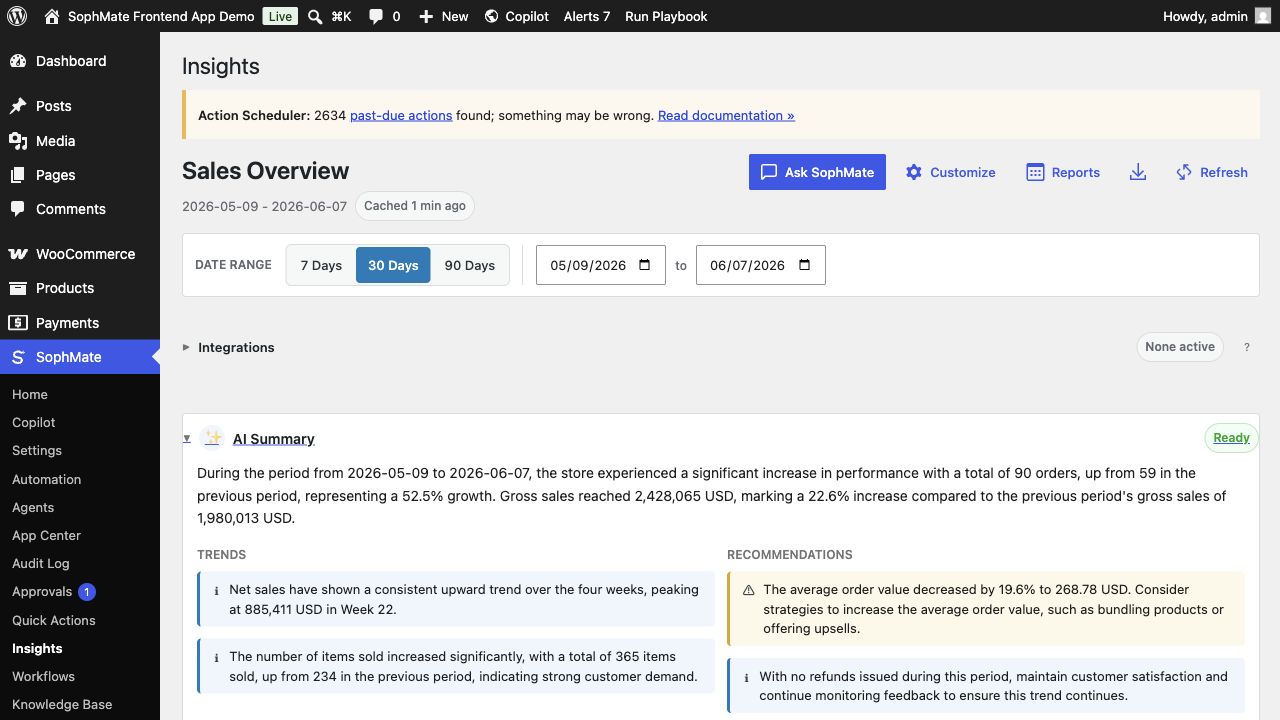
Review WooCommerce KPIs, trend charts, product and customer signals, AI summaries, report schedules, goals, and adapter status in one admin dashboard.

  • Sales overview metrics
  • AI summary cards
  • Product and customer reports

Cited support and policy context

Knowledge Base

Import policy pages, FAQs, tone guides, procedures, and product information so Copilot and agents can answer with source-backed context.

  • WordPress content import
  • Collections and usage analytics
  • Quality scoring

Documentation

Reference docs for setup, governance, and production operation

Use docs for stable SophMate behavior, then follow tutorials when you need a workflow walkthrough.

Configuration

Connect an AI Provider

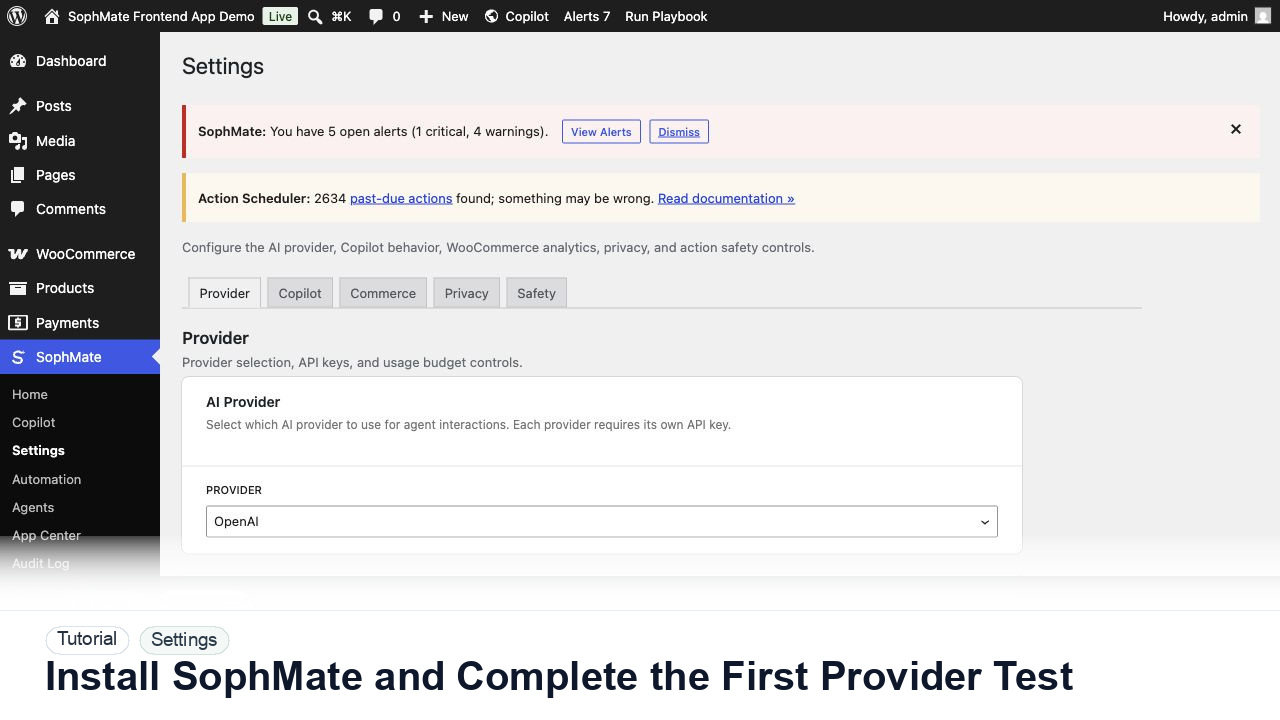
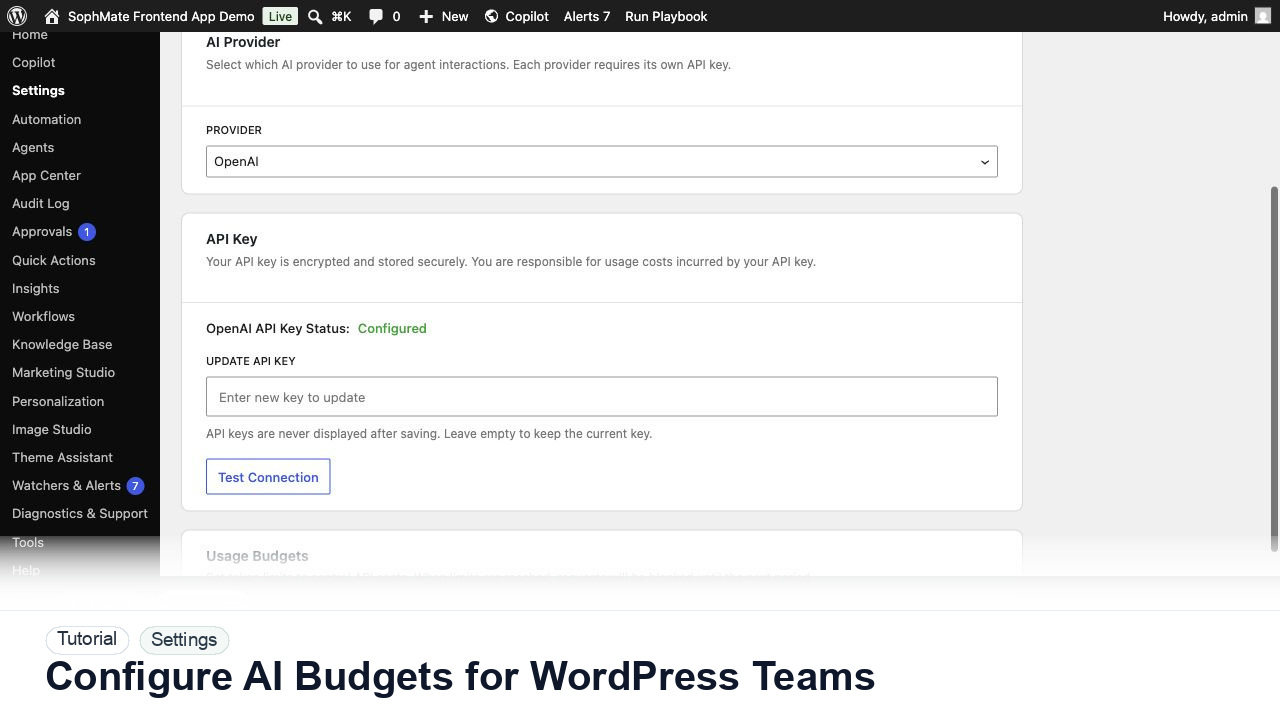
Configure provider access, test encrypted key storage, and keep SophMate budget controls visible before real team usage begins.

Configuration

Budget and Usage Controls

Set provider budget caps, review usage ownership, and define escalation rules when SophMate usage changes faster than expected.

WooCommerce

Commerce operations with human review built in

SophMate can help draft coupons, product copy, low-stock workflows, order-aware replies, and campaign follow-up. The goal is faster operations without losing the review step that protects revenue and customer experience.

  • Coupon creation with approval
  • Product and order context in support workflows
  • Low-stock monitoring and escalation
  • Campaign drafts for product launches and seasonal offers
View WooCommerce features
SophMate Insights dashboard inside wp-admin with WooCommerce sales metrics, AI summary, goals, activity, and reports.

Trust and control

Governed AI workflows for real WordPress teams

Bring your provider key

Configure provider access in WordPress and keep usage tied to explicit site settings.

Budget caps

Set operational limits so AI usage does not drift away from the team plan.

Audit records

Keep decisions, drafts, approvals, and run history visible for later review.

Privacy-aware flows

Support export and erase patterns that fit WordPress privacy operations.

Tutorial proof

Start with practical SophMate workflows

Use cases

Built for the work WordPress teams repeat every week

Store owners

WooCommerce Store Owner

Use SophMate to review sales, draft coupons, improve product copy, monitor inventory, and answer customer questions without giving AI silent write access.

WordPress admins

WordPress Admin Operations

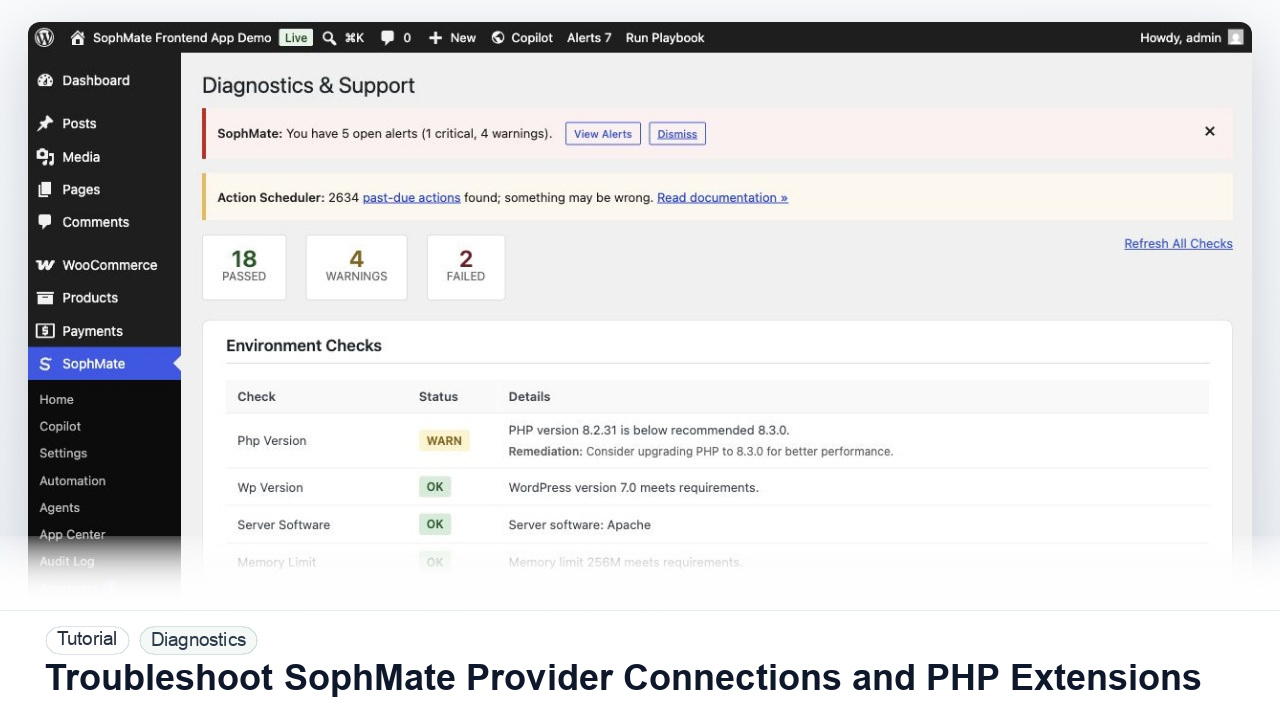
Keep recurring admin work organized with Copilot, action plans, diagnostics, audit logs, safe mode, and clear settings for provider keys and budgets.

Agencies

Agency Client Site Governance

Standardize AI-assisted work across client sites with approval policies, shared playbooks, support bundles, audit records, and client-ready design presentations.

Compare

Evaluate SophMate against common WordPress AI options

Use comparison pages to decide whether SophMate fits better than generic chat tools, narrow copilot plugins, fixed automation, or manual admin workflows.

SophMate vs AI agent builders

SophMate vs AI Agent Builders for WordPress

Compare generic AI agent builders with SophMate agents, evals, memory, provider gateways, MCP tools, approvals, and WordPress-native audit evidence.

SophMate vs ChatGPT

SophMate vs ChatGPT for WordPress Admins

Compare a general AI chat tool with a WordPress and WooCommerce assistant that runs inside wp-admin with approvals, context, playbooks, and audit records.

SophMate vs custom agency scripts

SophMate vs Custom Agency Scripts

Compare one-off scripts with SophMate tools, playbooks, agents, workflows, approvals, support bundles, and importable patterns for client sites.

FAQ

Common SophMate questions

Does SophMate make WordPress changes automatically?

SophMate is designed around reviewable drafts, approvals, and audit records for site-changing work.

Does SophMate work with WooCommerce?

Yes. SophMate includes WooCommerce-aware assistance for products, coupons, orders, stock signals, support replies, and marketing workflows.

Where do I buy SophMate?

SophMate purchases are handled through the CodeCanyon listing linked from this website.

Can agencies use SophMate on client sites?

Agencies can use SophMate to standardize AI-assisted operations while keeping approvals, budgets, and client-specific knowledge in view.

SophMate Pro

Get SophMate for WordPress and WooCommerce

Review SophMate Pro on CodeCanyon for approval-based execution, workflows, agents, marketing, and design tools.

Pro