What WooCommerce AI Assistant does
Use SophMate for WooCommerce coupons, products, orders, support replies, low-stock checks, sales insights, customer outreach, and reviewable store actions.
SophMate is built for WordPress and WooCommerce teams that want useful AI help without turning the site into an invisible automation box. The module keeps the work close to wp-admin, where products, orders, pages, policies, users, and operational history can be reviewed by the people responsible for the site.
Best-fit teams
- Store owners, merchandisers, and support teams that need product, order, coupon, stock, and customer context in the same review flow.
- Agencies managing WooCommerce clients who want repeatable store operations without handing broad write access to every user.
- Teams that want WordPress-native context, permission checks, and audit history instead of a disconnected AI workspace.
- Buyers evaluating whether the module can fit a real operating process, not only produce an impressive demo response.
What teams see in wp-admin
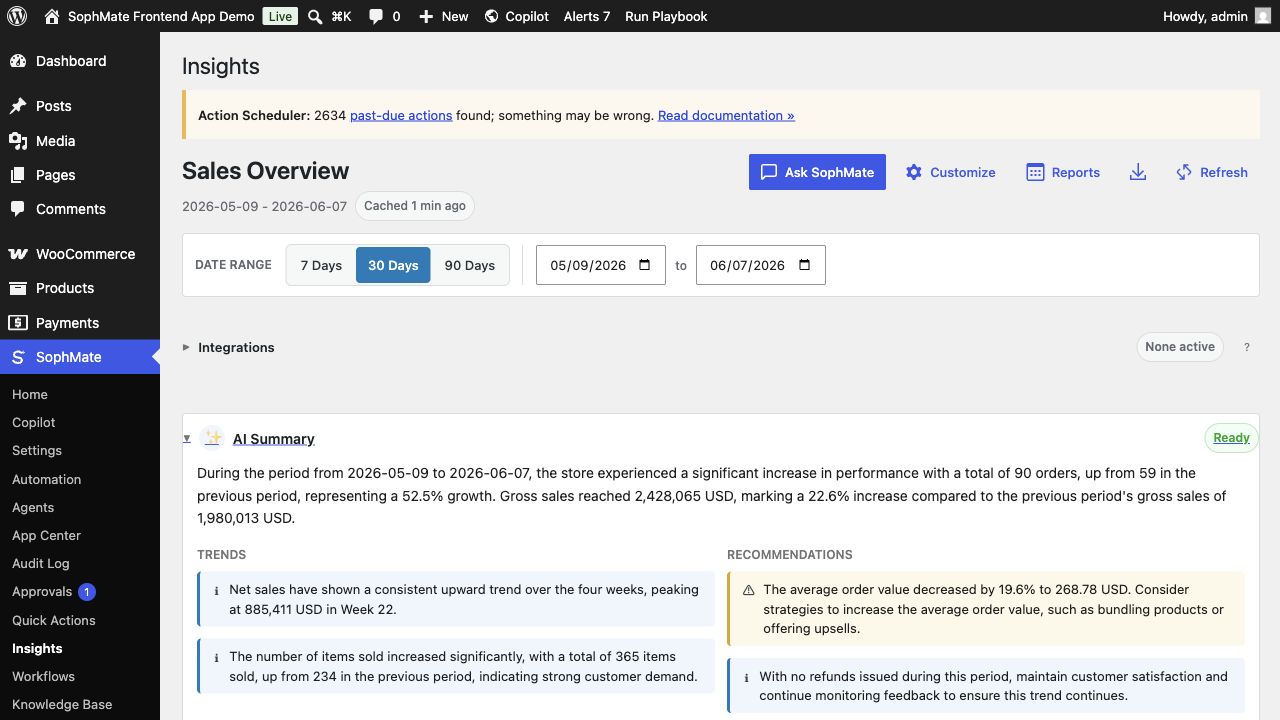
WooCommerce work appears through Insights, Quick Actions, playbooks, order-aware support prompts, and approved action plans. The useful signal is that sales, stock, coupons, products, and customer context stay visible while the user decides what should happen next.
Best-fit jobs
- Review sales, refunds, average order value, and product performance in Insights.
- Create coupons and product updates through reviewed action plans.
- Draft order replies from policies and order context before sending anything to customers.
Product capabilities
- WooCommerce analytics questions
- Coupon and product action plans
- Order support reply drafts
- Low-stock and refund workflows
- Customer and coupon intelligence
Setup prerequisites
- Confirm WooCommerce is active, order and product permissions are mapped, and high-risk commerce actions require approval.
- Review coupon rules, product ownership, support policies, and store reporting expectations before asking for data-changing work.
- Set provider budgets and role access before giving users a workflow that can become a site-changing plan.
- Keep staging, backup, or rollback expectations clear whenever the feature can affect public content, commerce data, customer messages, or theme output.
Operating notes
Commerce workflows should name the affected products, coupons, orders, customer groups, dates, and limits. That keeps recommendations useful for store owners and reviewable for operators.
Rollout checklist
- Begin with insights and support drafts, then move to product, coupon, or order changes only after approval paths are proven.
- Run the first commerce write on a narrow product or coupon scope with audit review immediately after execution.
- Name the owner of the first rollout window and schedule a review before making the feature a default team habit.
- Capture what changed during the first run so future administrators can distinguish setup mistakes from product behavior.
Risks and guardrails
- Risk: broad prompts can affect discounts, visibility, stock, or customer promises. Guardrail: scope every change by product, customer group, date, and limit.
- Risk: support drafts can overpromise. Guardrail: require current policy citations and order evidence before sending.
- Treat convenience as a rollout risk whenever the feature can write data, contact customers, publish content, or change the storefront.
- Keep permissions, budgets, audit review, and rollback expectations visible during the first production use.
When to use a different path
Do not ask for broad store changes when the business rule is still unclear. Discounts, refunds, product visibility, stock handling, and customer messages should have exact scope, limits, and reviewer ownership before SophMate drafts a plan.
How it stays governed
The important pattern is draft, review, approve, then execute. Read-only questions can stay conversational. Work that affects products, coupons, content, customers, workflows, images, or settings should move through a reviewed plan, workflow run, or publishing step. That is why WooCommerce AI Assistant belongs beside approval-based action plans, audit and diagnostics controls, and the broader SophMate tutorial library.
Evidence to capture
- Record affected products, coupons, orders, customer groups, policy citations, and reviewer decisions for every commerce write.
- Capture before and after screenshots or exports when product, pricing, coupon, or support workflows affect shoppers.
- Link evidence to the relevant docs, tutorials, or use case when the feature becomes part of a repeatable operating procedure.
- Keep evidence concise enough for support and governance review; avoid exporting secrets or unnecessary customer data.
What to measure after rollout
Review completed coupon plans, product-copy changes, support drafts, low-stock findings, and sales-analysis decisions. The strongest signal is fewer ad hoc admin tasks without more review confusion.
Decision record
- Record which commerce actions are allowed, which require owner approval, and which remain outside AI-assisted workflows.
- Write down the first production scenario, the reviewer, and the evidence that would prove the rollout is working.
- Revisit the decision after the first incident, failed run, support ticket, or policy change rather than letting the original setup become permanent by accident.
Where to go next
Compare this module against the rest of the SophMate feature library, map it to a team scenario in use cases, or start with a practical guide from SophMate tutorials.