Workflows and operations 6 min read Feb 28, 2026

Operate App Center Frontend Panels, Forms, Cart, and Budget Meter

Review App Center frontend panels, visitor forms, cart interactions, budget meters, UI policies, and consent fallbacks before public rollout.
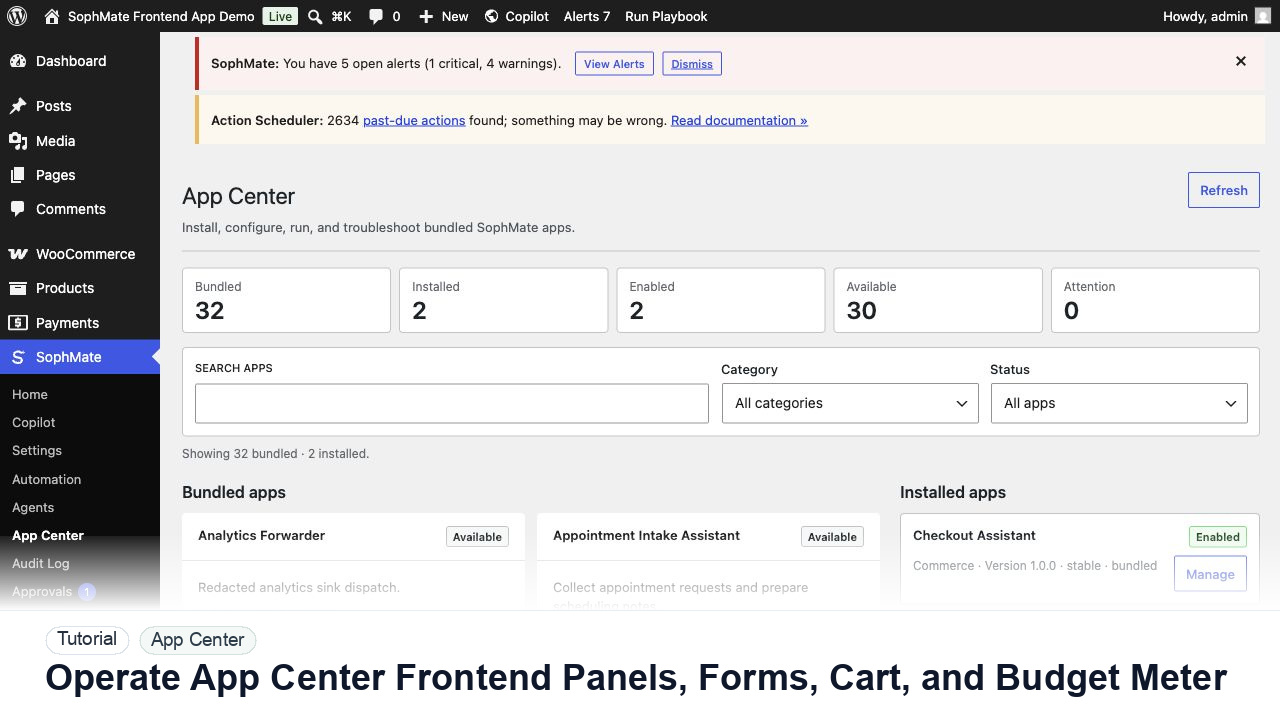
SophMate tutorial image for Operate App Center Frontend Panels, Forms, Cart, and Budget Meter showing the related wp-admin workflow context.

Outcome

By the end of this tutorial, you will know how to use SophMate for SophMate App Center frontend panels while keeping the work reviewable inside WordPress.

Scenario

A custom app adds a storefront panel with a form and cart helper, so the team needs to verify visitor-facing behavior before launch.

Buyer evaluation note

Use this tutorial to evaluate whether SophMate visitor-facing apps expose permissions and failure states clearly. The adoption signal is reviewed manifests, scoped data capture, consent behavior, job-failure handling, and audit records.

When not to use this workflow

  • Do not activate visitor-facing apps when consent, permission-denied, provider-unavailable, cache-stale, or job-failed states are untested.
  • Do not grant app capabilities beyond the reviewed manifest and role boundary.
  • Do not use this workflow to bypass the normal owner, reviewer, or approval path for production changes.
  • Defer the workflow when the source data, permission boundary, rollback owner, or customer impact cannot be explained.

Example operator request

Review this app or frontend panel before activation. Check manifest permissions, data captured, visitor fallback states, job failures, consent behavior, and audit records.

What the image shows

The tutorial image shows App Center context where installed apps, bundled apps, frontend panels, capability grants, and custom app registration are reviewed.

Before you begin

  • Review the app manifest, permissions, data captured, visitor states, consent behavior, job-failure handling, and audit output before activation.
  • Decide whether the app belongs on staging, internal admin screens, or a narrow visitor-facing surface first.
  • Confirm SophMate is active, diagnostics do not show blocking failures, and the current user role can open the relevant SophMate module.
  • Check provider, budget, privacy, and approval settings before asking SophMate to draft or execute work.
  • Keep customer data, API keys, purchase codes, and private credentials out of prompts unless this workflow explicitly requires and permits that context.

Access and data boundary

  • Grant app capabilities by role and surface, and collect only the visitor or operator data needed for the panel to work.
  • Test permission-denied, logged-out, consent-missing, provider-unavailable, and job-failed states before visitor exposure.
  • Use the least-privileged SophMate role that can complete the review, and keep administrator-only access limited to setup, provider, billing, diagnostics, and high-risk approval work.
  • Prefer record IDs, short excerpts, and redacted screenshots over full customer records, payment details, provider keys, purchase codes, or raw server logs.

Guardrail

Do not expose custom capabilities to visitors, agents, or workflows until roles, permissions, schemas, and risk level are clear.

Common mistakes to avoid

  • Installing visitor-facing panels on critical pages before testing fallback states.
  • Ignoring manifest permissions and data capture because the app UI looks simple.
  • Letting app jobs run without monitoring failures or audit records.

Step 1: Review the frontend policy

Confirm allowed components, panel placement, UI policy, consent copy, logged-out behavior, and whether the panel can affect cart state.

Step 2: Test form submission boundaries

Submit empty, valid, invalid, duplicate, oversized, and privacy-sensitive form payloads before connecting jobs or channel messages.

Step 3: Check cart and account surfaces

Confirm cart helpers never change price, coupon, shipping, account, or checkout behavior without a reviewed job and approval path.

Step 4: Expose budget state carefully

Budget meters should help visitors and operators understand app limits without leaking provider costs, internal thresholds, or private usage data.

Step 5: Verify fallback states

Test provider outage, missing consent, blocked app, expired grant, and failed job states as logged-out and logged-in visitors.

Review checklist

  • Frontend policy is explicit.
  • Forms reject unsafe payloads.
  • Cart and budget surfaces fail safely.

Production readiness

  • Review app manifest, data capture, roles, frontend fallback, job behavior, and visitor-facing placement before activation.
  • Test unavailable-provider and permission-denied states before exposing a panel.
  • Run the workflow first on a narrow, low-risk record or page before expanding scope.
  • Confirm the reviewer, approval rule, and evidence location before any production-changing action runs.

Failure modes to test

  • Test permission-denied, logged-out, consent-missing, provider-unavailable, job-failed, cache-stale, and frontend fallback states.
  • Confirm visitor-facing panels fail closed without exposing private data or broken controls.
  • Test the path where the user lacks permission, required context is missing, or the reviewer rejects the result.
  • Confirm the failed state leaves an audit record, visible owner, and clear next action instead of a silent or ambiguous outcome.

Success signal

The App Center workflow is successful when the app renders with a safe fallback, permissions match the manifest, visitor data handling is understood, and jobs leave useful operational records.

Post-run monitoring

  • Monitor frontend panel errors, visitor fallback states, job failures, permission denials, and data-capture events.
  • Review visitor-facing behavior after cache, consent, and logged-out states are tested.
  • Review the audit log, diagnostics, and affected WordPress records shortly after the first run.
  • Record any confusing output, missing source context, permission issue, cost spike, or reviewer correction before repeating the workflow.

Safe expansion criteria

  • Schema, permissions, fallback states, jobs, audit fields, and visitor-facing behavior pass negative and happy-path tests.
  • Custom capabilities remain limited to the roles, agents, or workflows that were explicitly reviewed.
  • The first run has a documented owner, evidence, review result, and stop path.
  • A second operator can repeat the workflow from the notes without relying on hidden context.

Rollback or stop path

If a custom capability behaves unexpectedly, disable the app or tool, revoke visitor/agent access, preserve audit evidence, and retest schema plus permissions.

What to document

Document manifest or tool schema, permissions, data captured, risk classification, fallback behavior, and audit fields.

Owner and cadence

The developer owns schema and integration behavior, while the administrator owns permission, risk, and visitor-facing placement.

Escalate when

Escalate when custom capabilities read sensitive data, write WordPress records, call external services, or expose visitor-facing behavior.

Common questions

What makes a custom capability ready for production?

It needs a clear schema or manifest, least-privilege permissions, negative tests, fallback states, audit fields, and an owner who can disable it quickly.

Does this workflow remove the need for human review?

No. SophMate should make the work easier to draft, inspect, approve, and repeat. Human review remains necessary when output affects customers, money, published content, privacy, settings, or workflow execution.

What should be documented before expanding the workflow?

Record the owner, input scope, access boundary, approval point, failure modes tested, evidence location, monitoring window, and rollback or stop path.

Next action

Enable the app on the smallest useful surface, verify permission-denied and provider-unavailable states, then review audit records before expanding placement.

Next step

Bring this workflow into your WordPress site

Review the SophMate listing for current package details, screenshots, compatibility notes, and license terms.

View on CodeCanyon

Related

More from Workflows and operations

Pro