Marketing and personalization 5 min read Mar 23, 2026

Review Marketing Studio Compliance, Referrals, and Testimonials

Use Marketing Studio compliance checks, referral and loyalty workflows, testimonial collection, and review gates before publishing campaigns.
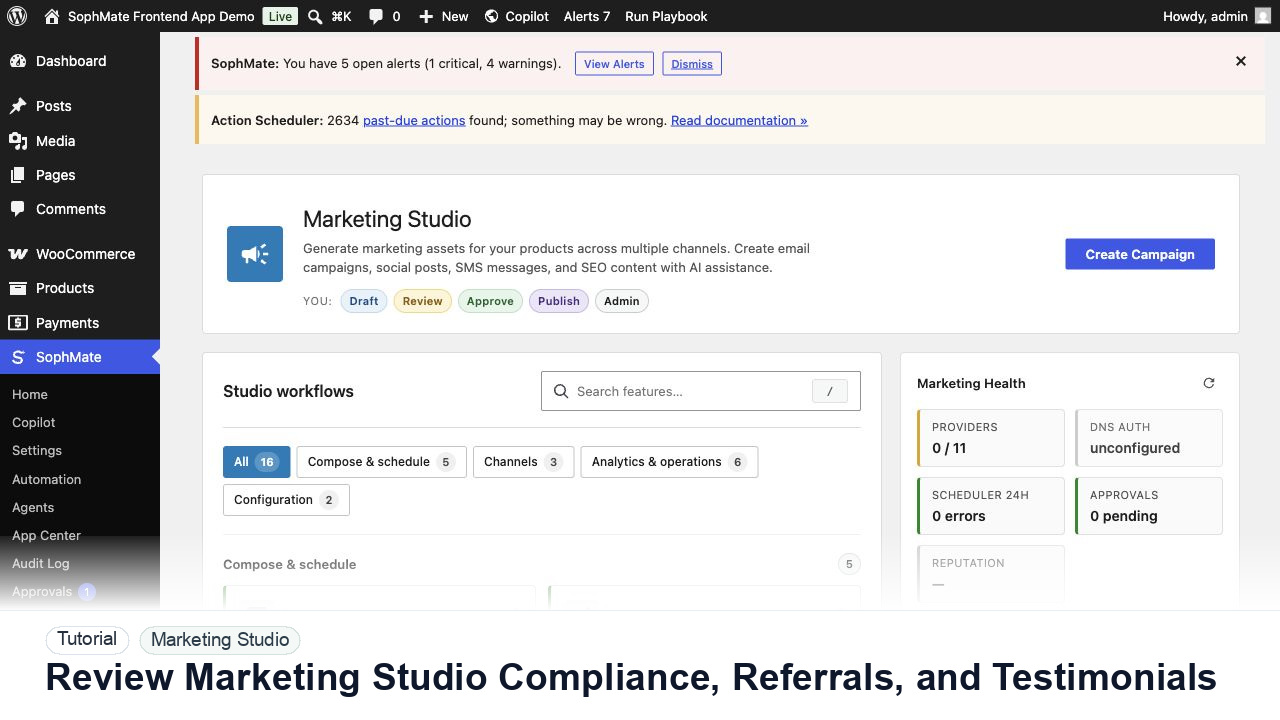
SophMate tutorial image for Review Marketing Studio Compliance, Referrals, and Testimonials showing the related wp-admin workflow context.

Outcome

By the end of this tutorial, you will know how to use SophMate for SophMate marketing compliance while keeping the work reviewable inside WordPress.

Scenario

A growth lead wants a referral campaign and testimonial collection flow without publishing unreviewed claims or incentive terms.

Buyer evaluation note

Use this tutorial to evaluate whether SophMate can help marketing teams draft faster without bypassing launch controls. The workflow should preserve product facts, offer rules, audience limits, inventory risk, claims review, and channel ownership.

When not to use this workflow

  • Do not use Marketing Studio to publish offers before inventory, eligibility, claims, channel health, and approval ownership are verified.
  • Do not reuse one campaign brief across audiences when offer terms or customer promises differ.
  • Do not use this workflow to bypass the normal owner, reviewer, or approval path for production changes.
  • Defer the workflow when the source data, permission boundary, rollback owner, or customer impact cannot be explained.

Example operator request

Prepare a campaign draft from these product facts, offer rules, audience, channel constraints, inventory limits, and approval owner. Do not schedule or publish until review passes.

What the image shows

The tutorial image shows Marketing Studio context where campaign planning, channel health, product signals, and review steps sit together.

Before you begin

  • Confirm campaign goal, product scope, offer rules, eligibility, inventory risk, channel constraints, sender health, and approval owner before drafting.
  • Separate copy generation from scheduling or publishing so launch decisions remain reviewable.
  • Confirm SophMate is active, diagnostics do not show blocking failures, and the current user role can open the relevant SophMate module.
  • Check provider, budget, privacy, and approval settings before asking SophMate to draft or execute work.
  • Keep customer data, API keys, purchase codes, and private credentials out of prompts unless this workflow explicitly requires and permits that context.

Access and data boundary

  • Use approved product facts, audience definitions, offer rules, channel constraints, and campaign goals.
  • Do not include raw customer lists, unsupported claims, private discount strategy, or unapproved legal/policy wording in reusable briefs.
  • Use the least-privileged SophMate role that can complete the review, and keep administrator-only access limited to setup, provider, billing, diagnostics, and high-risk approval work.
  • Prefer record IDs, short excerpts, and redacted screenshots over full customer records, payment details, provider keys, purchase codes, or raw server logs.

Guardrail

Review product availability, offer terms, channel health, and approval status before publishing or scheduling campaign material.

Common mistakes to avoid

  • Drafting campaign copy before confirming inventory, offer limits, launch date, and channel health.
  • Publishing variants without checking approval status and customer-facing promises.
  • Reusing one campaign brief for every audience or product category.

Step 1: Define the customer promise

Write the referral, loyalty, or testimonial ask in plain language, including reward terms, eligibility, timing, and support owner.

Step 2: Run compliance review

Check regulated claims, discount rules, testimonial consent, attribution wording, and required disclaimers before generating variants.

Step 3: Ground testimonial collection

Use approved questions and consent language. Do not imply endorsement, edit meaning, or publish customer quotes without review.

Step 4: Review campaign approval

Submit the campaign through the approval flow with products, audience, incentive, channels, and final copy visible.

Step 5: Monitor post-launch signals

Watch opt-outs, complaints, support volume, referral abuse, and testimonial correction requests after launch.

Review checklist

  • Incentive terms are clear.
  • Testimonials have consent and review evidence.
  • Compliance review blocks unapproved claims.

Production readiness

  • Confirm offer terms, inventory, channel health, sender authentication, audience, approval owner, and launch window before publishing campaign material.
  • Separate draft generation from scheduling or customer-facing sends.
  • Run the workflow first on a narrow, low-risk record or page before expanding scope.
  • Confirm the reviewer, approval rule, and evidence location before any production-changing action runs.

Failure modes to test

  • Test unavailable inventory, invalid offer rules, unsupported claims, deliverability warnings, missing approval, and wrong audience assumptions.
  • Confirm campaign drafts do not publish or schedule when any commercial precondition fails.
  • Test the path where the user lacks permission, required context is missing, or the reviewer rejects the result.
  • Confirm the failed state leaves an audit record, visible owner, and clear next action instead of a silent or ambiguous outcome.

Success signal

The campaign workflow is successful when product context, offer terms, channel health, creative assets, and approval status are all visible before publishing.

Post-run monitoring

  • Monitor campaign draft revisions, approval delays, deliverability warnings, inventory constraints, and claim corrections.
  • Compare generated variants against final approved copy before reusing the campaign pattern.
  • Review the audit log, diagnostics, and affected WordPress records shortly after the first run.
  • Record any confusing output, missing source context, permission issue, cost spike, or reviewer correction before repeating the workflow.

Safe expansion criteria

  • Offer rules, deliverability, inventory, claims, audience, and approval ownership are stable.
  • Final approved campaign copy can be traced back to source context and reviewer changes.
  • The first run has a documented owner, evidence, review result, and stop path.
  • A second operator can repeat the workflow from the notes without relying on hidden context.

Rollback or stop path

If campaign terms, deliverability, claims, or inventory are wrong, stop publishing, keep drafts unscheduled, and route the brief back through campaign approval.

What to document

Document campaign goal, products, audience, offer rules, channel health, generated variants, approval owner, and launch decision.

Owner and cadence

A marketing owner should review each campaign before launch and compare results after the campaign window closes.

Escalate when

Escalate when campaign copy touches regulated claims, aggressive discounts, inventory risk, deliverability problems, or customer promises.

Common questions

Can Marketing Studio schedule campaigns automatically?

Only after offer rules, inventory, channel health, sender authentication, claims, and approval ownership are confirmed. Drafting and scheduling should stay separate until launch review passes.

Does this workflow remove the need for human review?

No. SophMate should make the work easier to draft, inspect, approve, and repeat. Human review remains necessary when output affects customers, money, published content, privacy, settings, or workflow execution.

What should be documented before expanding the workflow?

Record the owner, input scope, access boundary, approval point, failure modes tested, evidence location, monitoring window, and rollback or stop path.

Next action

Move one approved draft into the right channel as a draft, not a send, and attach offer rules, inventory caveats, and reviewer notes to the campaign record.

Next step

Bring this workflow into your WordPress site

Review the SophMate listing for current package details, screenshots, compatibility notes, and license terms.

View on CodeCanyon

Related

More from Marketing and personalization

Pro