WooCommerce operations 6 min read Mar 2, 2026

Prepare WooCommerce High-Risk Bulk Actions for Approval

Prepare WooCommerce bulk product, coupon, order, customer, and email actions with approval gates, batches, dry runs, and rollback notes.
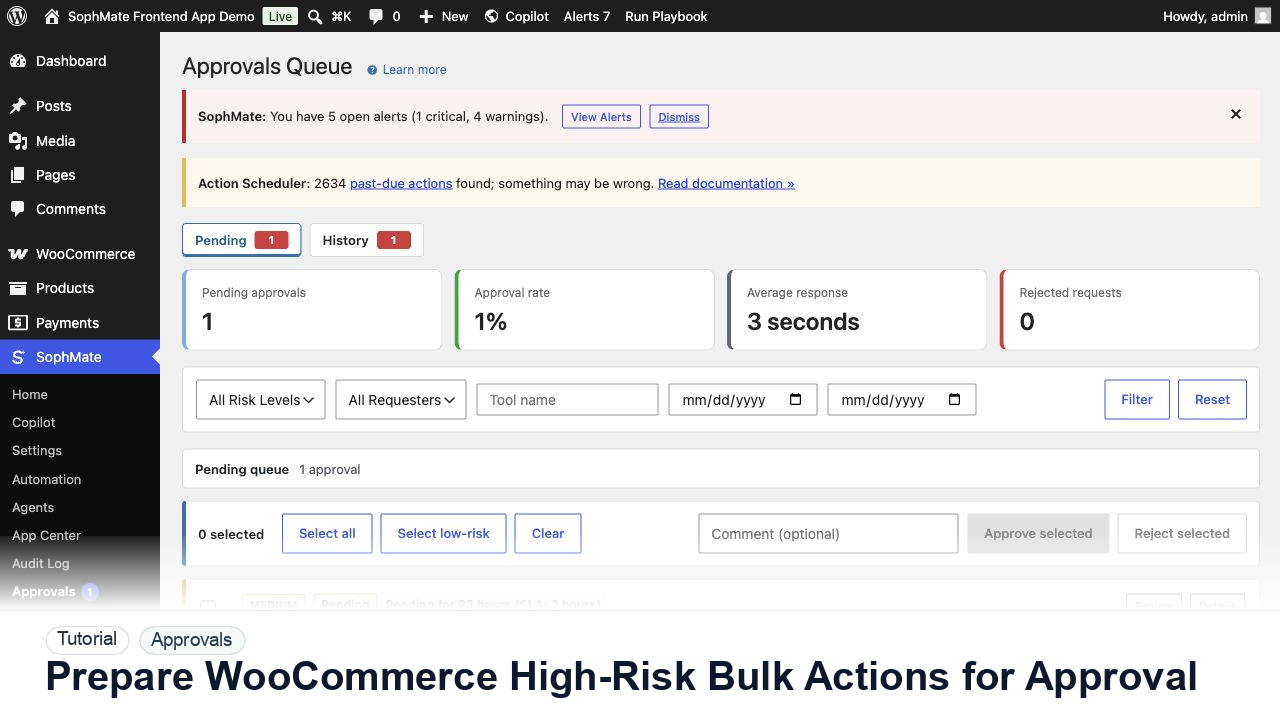
SophMate tutorial image for Prepare WooCommerce High-Risk Bulk Actions for Approval showing the related wp-admin workflow context.

Outcome

By the end of this tutorial, you will know how to use SophMate for SophMate WooCommerce bulk approval while keeping the work reviewable inside WordPress.

Scenario

A store operator wants to update a product category, create coupons, and draft customer emails for a promotion without changing the wrong records.

Buyer evaluation note

Use this tutorial to evaluate whether SophMate can keep AI-assisted changes accountable. Buyers should look for affected records, field-level intent, risk level, reviewer authority, rollback notes, and audit evidence before execution.

When not to use this workflow

  • Do not approve when affected records, field changes, reviewer authority, risk level, or rollback notes are unclear.
  • Do not bulk approve mixed commerce, customer, content, visual, and system changes.
  • Do not use this workflow to bypass the normal owner, reviewer, or approval path for production changes.
  • Defer the workflow when the source data, permission boundary, rollback owner, or customer impact cannot be explained.

Example operator request

Turn this recommendation into a reviewed action plan. List affected records, exact field changes, risk level, reviewer, rollback note, and audit evidence before execution.

What the image shows

The tutorial image shows the Approvals queue context because this workflow depends on understanding risk, reviewer ownership, pending plans, and execution status before changes affect the site.

Before you begin

  • Confirm the reviewer has authority over the affected record type and understands the risk level before the plan is generated.
  • Prepare the expected rollback note or stop condition so approval is not based on the summary alone.
  • Confirm SophMate is active, diagnostics do not show blocking failures, and the current user role can open the relevant SophMate module.
  • Check provider, budget, privacy, and approval settings before asking SophMate to draft or execute work.
  • Keep customer data, API keys, purchase codes, and private credentials out of prompts unless this workflow explicitly requires and permits that context.

Access and data boundary

  • Only reviewers with authority over the affected record type should approve product, coupon, order, customer, content, CSS, workflow, or settings changes.
  • Review affected record IDs, proposed fields, risk level, and diff preview without exporting unrelated customer or payment data.
  • Use the least-privileged SophMate role that can complete the review, and keep administrator-only access limited to setup, provider, billing, diagnostics, and high-risk approval work.
  • Prefer record IDs, short excerpts, and redacted screenshots over full customer records, payment details, provider keys, purchase codes, or raw server logs.

Guardrail

Do not bulk approve mixed-risk plans. Separate commerce, customer, content, and system changes before approving.

Common mistakes to avoid

  • Bulk approving plans with mixed risk levels.
  • Reviewing only the summary while ignoring affected records, fields, limits, and execution status.
  • Delegating high-risk commerce, customer, or system changes without a clear policy.

Step 1: Freeze the selected scope

Export or record product IDs, order IDs, customer segment, coupon rules, and email audience before generating a bulk action plan.

Step 2: Run a dry-run batch

Preview affected records, field changes, customer-facing wording, estimated runtime, and whether Action Scheduler will process batches.

Step 3: Split high-risk operations

Separate product edits, coupon creation, customer emails, order notes, and workflow triggers so each reviewer sees a clear decision.

Step 4: Require the right approver

Route revenue, customer promise, inventory, refund, and email-impacting changes to owners who can judge the real business risk.

Step 5: Review completion and rollback

After execution, compare changed records, failures, skipped items, retries, audit entries, and practical rollback or remediation notes.

Review checklist

  • Bulk scope is frozen before execution.
  • Dry-run output is reviewed by operation type.
  • Rollback or remediation notes exist for failed batches.

Production readiness

  • Open affected records and proposed fields before approval, especially for coupons, products, customer messages, and settings.
  • Confirm reviewer authority matches the risk level before execution.
  • Run the workflow first on a narrow, low-risk record or page before expanding scope.
  • Confirm the reviewer, approval rule, and evidence location before any production-changing action runs.

Failure modes to test

  • Test rejected plans, revision requests, expired approval context, wrong reviewer role, execution failure, and mixed-risk bulk approval.
  • Confirm reviewers can see affected records and decision notes when execution does not proceed.
  • Test the path where the user lacks permission, required context is missing, or the reviewer rejects the result.
  • Confirm the failed state leaves an audit record, visible owner, and clear next action instead of a silent or ambiguous outcome.

Success signal

The approval workflow is successful when reviewers can explain the affected records, risk, diff, decision, execution result, and audit trail without reconstructing the process from memory.

Post-run monitoring

  • Check pending age, rejected plans, revision requests, failed executions, and reviewer notes after the first approval cycle.
  • Watch for plans that bundle unrelated risks and should be split before future approvals.
  • Review the audit log, diagnostics, and affected WordPress records shortly after the first run.
  • Record any confusing output, missing source context, permission issue, cost spike, or reviewer correction before repeating the workflow.

Safe expansion criteria

  • Reviewers understand affected records, fields, risk, decision notes, and execution results.
  • Rollback or correction notes exist for the record types the workflow can change.
  • The first run has a documented owner, evidence, review result, and stop path.
  • A second operator can repeat the workflow from the notes without relying on hidden context.

Rollback or stop path

If proposed fields are wrong, reject or revise the plan before execution. If execution already ran, use the audit trail and affected records to prepare a manual correction or rollback plan.

What to document

Document plan risk, reviewer, affected records, decision reason, execution result, and any revision requested before approval.

Owner and cadence

An administrator or operations lead should review approval behavior weekly during rollout, then monthly once risk and volume stabilize.

Escalate when

Escalate when approval risk looks wrong, affected records are unclear, execution fails, or audit records do not explain the decision.

Common questions

When is bulk approval acceptable?

Bulk approval is safest for similar low-risk plans with the same owner and rollback pattern. Mixed commerce, customer, content, visual, and settings changes should be reviewed separately.

Does this workflow remove the need for human review?

No. SophMate should make the work easier to draft, inspect, approve, and repeat. Human review remains necessary when output affects customers, money, published content, privacy, settings, or workflow execution.

What should be documented before expanding the workflow?

Record the owner, input scope, access boundary, approval point, failure modes tested, evidence location, monitoring window, and rollback or stop path.

Next action

Approve or reject one low-risk plan with a clear reviewer note, then confirm the audit log explains the decision before using the pattern on higher-risk changes.

Next step

Bring this workflow into your WordPress site

Review the SophMate listing for current package details, screenshots, compatibility notes, and license terms.

View on CodeCanyon

Related

More from WooCommerce operations

Pro