Build a Knowledge Base from Shipping and Return Policy Pages
Import WordPress shipping and return policy pages into SophMate Knowledge Base so support replies and agents can cite the correct source.
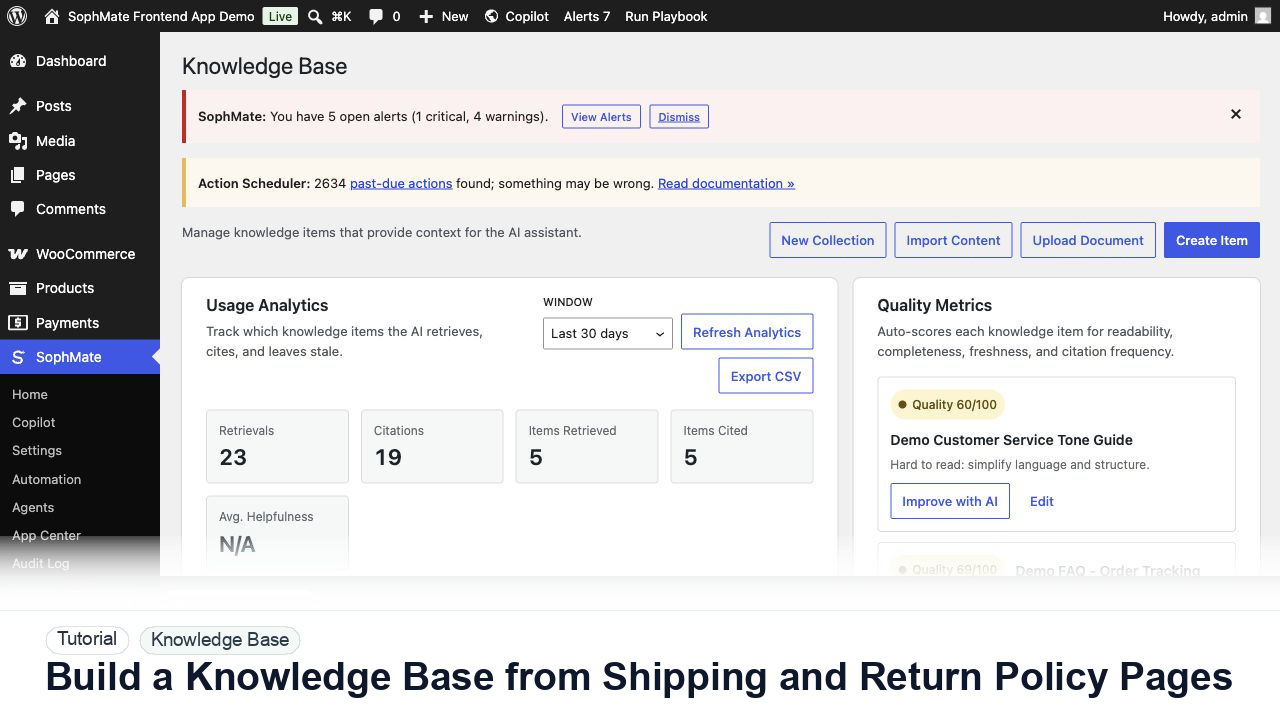
Import WordPress shipping and return policy pages into SophMate Knowledge Base so support replies and agents can cite the correct source.
By the end of this tutorial, you will know how to use SophMate for WordPress AI knowledge base while keeping the work reviewable inside WordPress.
A WooCommerce support team wants AI replies to quote the store return window and shipping rules instead of guessing.
Use this tutorial to evaluate whether SophMate can answer from approved business sources instead of generic AI memory. Buyers should look for source ownership, sync quality, citation checks, stale-content handling, and policy-review cadence.
Draft an answer using only current Knowledge Base sources. Show the cited source, identify stale or conflicting policy text, and suggest source edits instead of guessing.
The tutorial image shows Knowledge Base collections, quality signals, usage analytics, and policy items because cited answers depend on the quality of source material.
If SophMate cannot cite a current source, improve the Knowledge Base item before relying on the answer.
Find the canonical WordPress pages for returns, refunds, shipping, privacy, and payment questions. Do not import outdated drafts.
Use Knowledge Base > Import Content, choose the page, select the correct kind, and place it in a collection that matches support workflows.
Use auto sync for policy pages edited in WordPress, manual sync for rarely changed pages, and none for KB items the support team will edit directly.
Review readability, completeness, freshness, and citation frequency. Improve weak items before support agents depend on them.
Ask a policy question and verify that the answer cites the imported item. If the answer is vague, improve the source item rather than only changing the prompt.
The Knowledge Base workflow is successful when Copilot or an agent cites the expected source, the answer matches the current policy, and weak source material is improved instead of hidden by prompting.
If citations are stale or wrong, stop using the answer, update the source item, rerun sync or reindexing, and retest before support teams rely on it.
Document source page, collection, sync mode, quality notes, citation test, and any policy owner who must approve future changes.
A support lead or policy owner should review Knowledge Base workflows after policy changes and during regular support-quality review.
Escalate when policy ownership is unclear, citations point to stale sources, or agents depend on content that no team member can approve.
Stop and inspect the source material. Missing or weak citations usually mean the Knowledge Base item needs clearer headings, fresher policy text, or a narrower collection.
No. SophMate should make the work easier to draft, inspect, approve, and repeat. Human review remains necessary when output affects customers, money, published content, privacy, settings, or workflow execution.
Record the owner, input scope, access boundary, approval point, failure modes tested, evidence location, monitoring window, and rollback or stop path.
Run one citation test against the approved source, revise the Knowledge Base item if the answer is weak, and only then let Copilot or agents rely on it.
Next step
Review the SophMate listing for current package details, screenshots, compatibility notes, and license terms.
Related
Ask SophMate for support replies that cite Knowledge Base items, separate policy facts from suggestions, and keep customer-facing answers reviewable.
Use SophMate Knowledge Base revision history to recover from a bad policy edit while preserving the audit trail and a new rollback revision.